

Intercom and Score Integration
A guide on authorizing and installing Score into your Intercom workspace
Overview
Score offers an Intercom integration that brings your Intercom tickets into Score as conversations. You can:
Automatically pull resolved customer tickets into Score for evaluation.
Filter and search conversations in Score using Intercom ticket attributes.
How to install the app
In Score, go to Settings → Data → Integrations.
Select Intercom (it should show as enabled with an “Inactive” label).
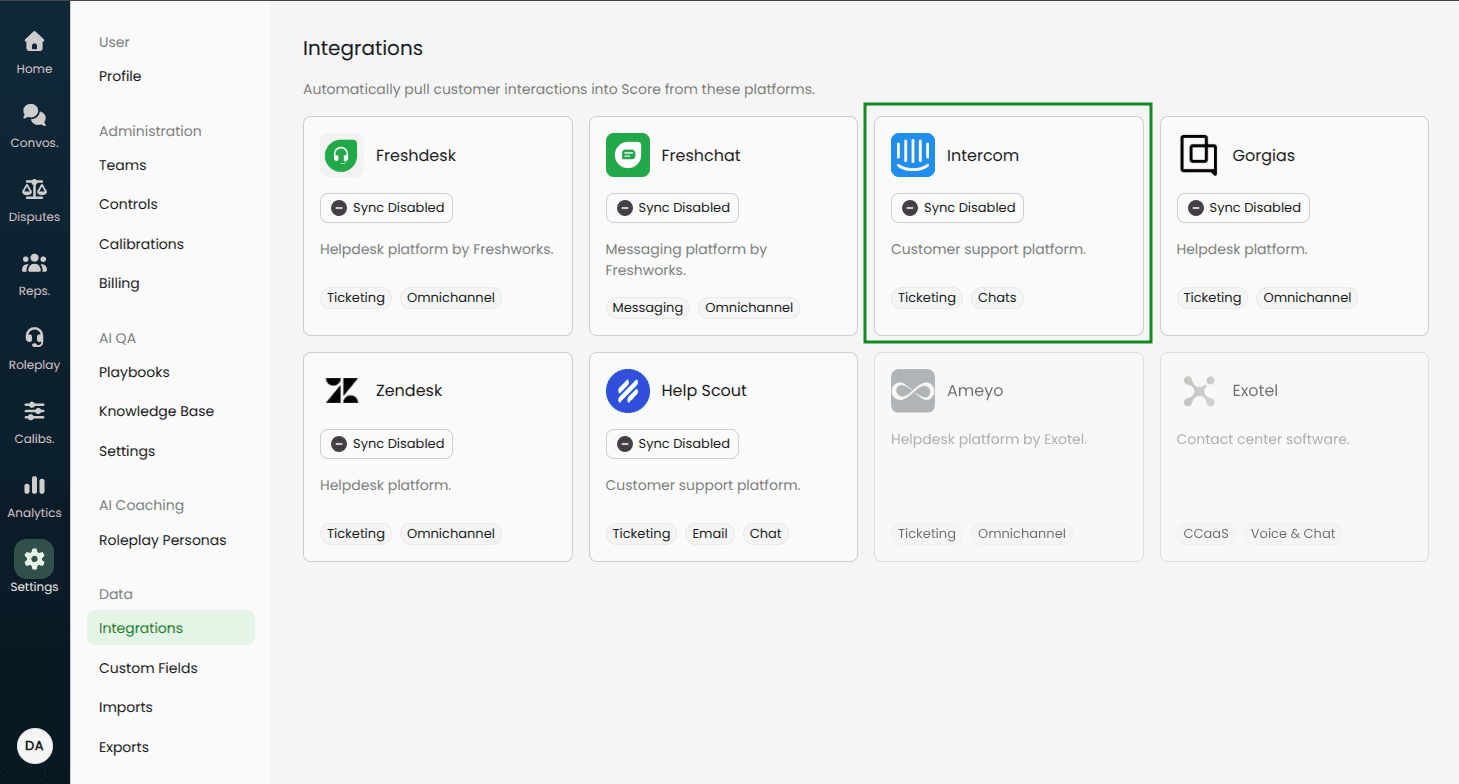
Click Authorize to install the Score app in your Intercom workspace.
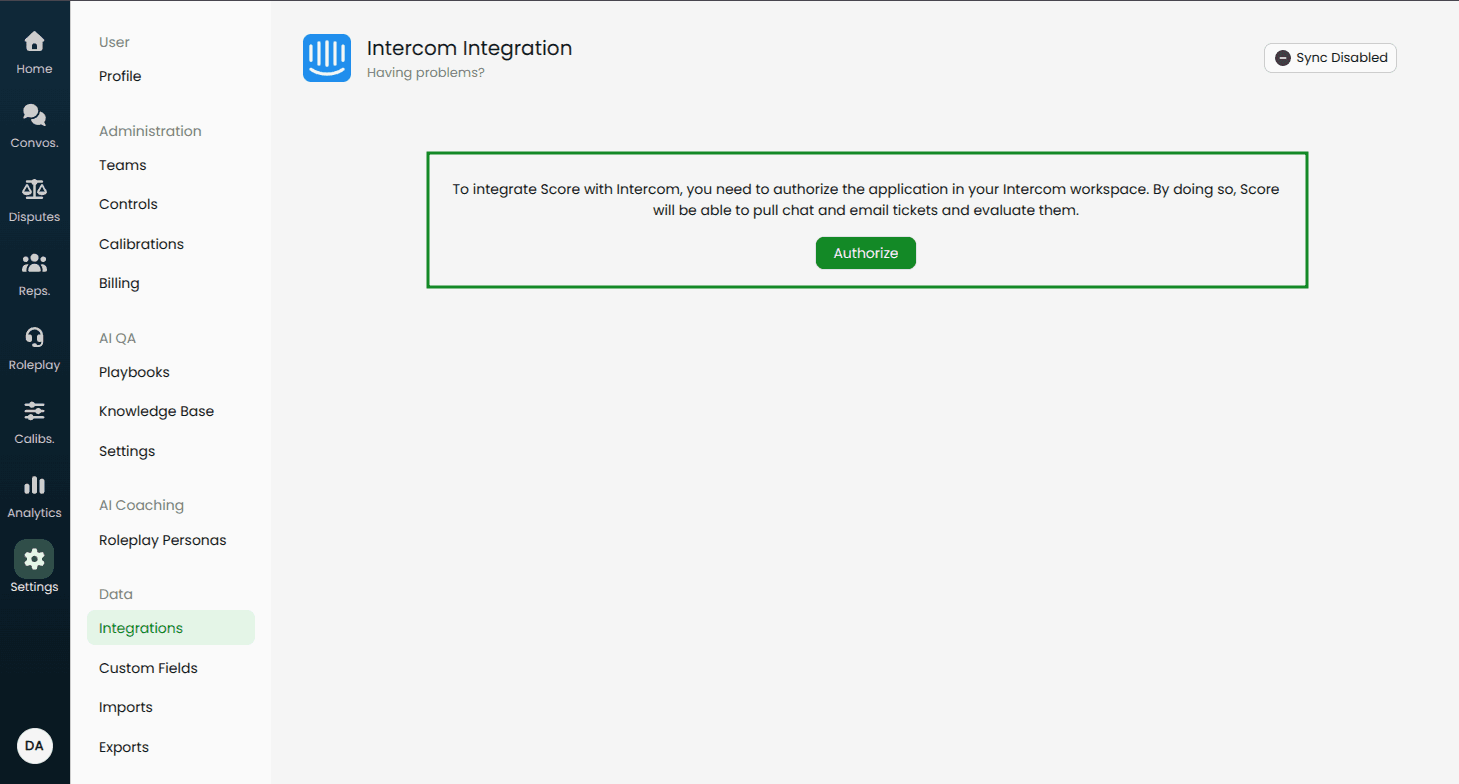
After authorization, you’ll return to the Intercom settings page in Score.
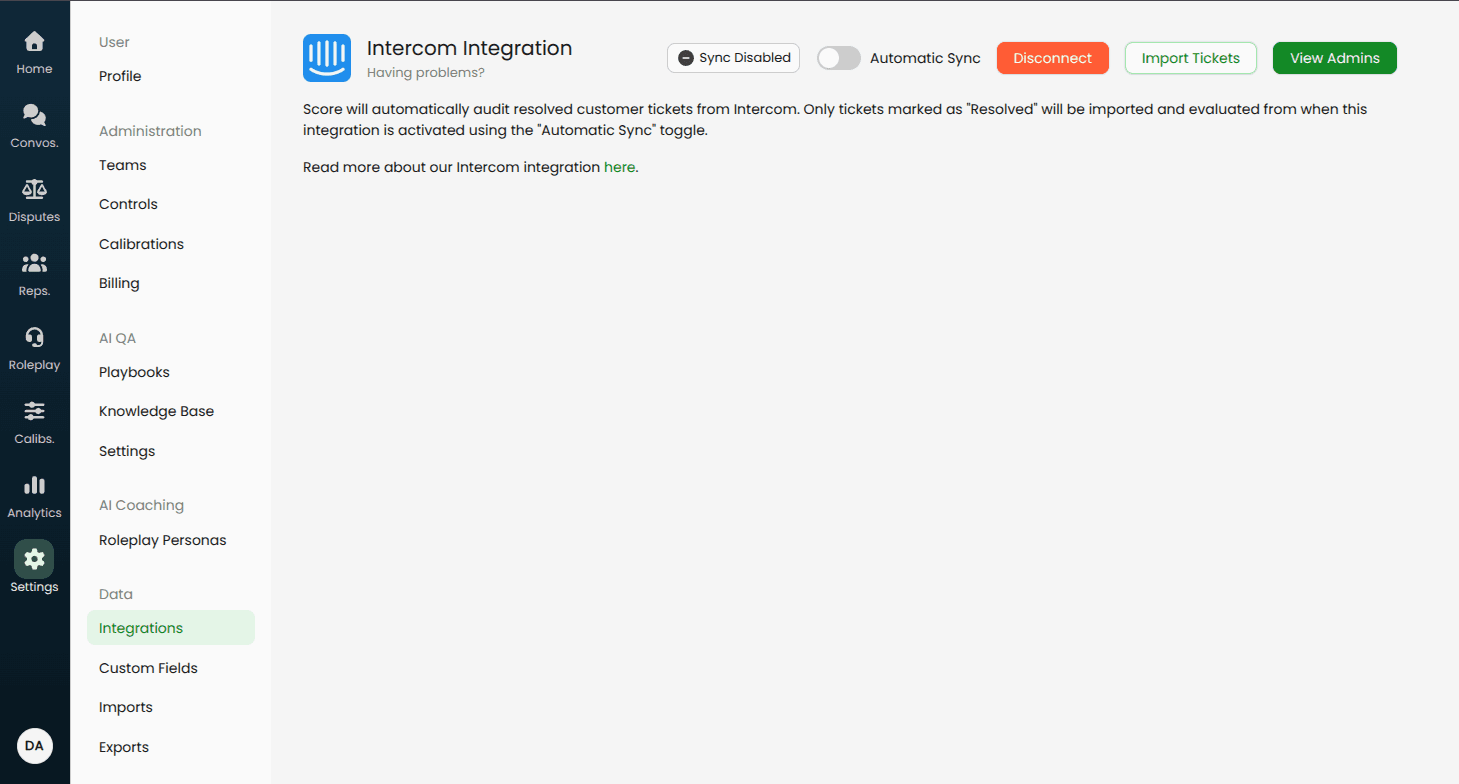
Available settings for sync
Automatic sync toggle: When enabled, Score pulls newly resolved Intercom tickets automatically.
Ticket selection rules: Intercom currently syncs resolved customer tickets. If you need additional ticket types, let us know.
If you need a setting that isn’t listed here, contact your Score point-of-contact or email help@usescore.ai.
Next steps after installation
For user mapping, custom field mappings, and automatic sync details, see: Post-installation Setup Guide