
Overview
Score offers a Help Scout integration that brings your Help Scout conversations into Score as conversations. You can:
Automatically pull chat and email conversations into Score for evaluation.
Filter and search conversations in Score using Help Scout conversation attributes.
How to install the app
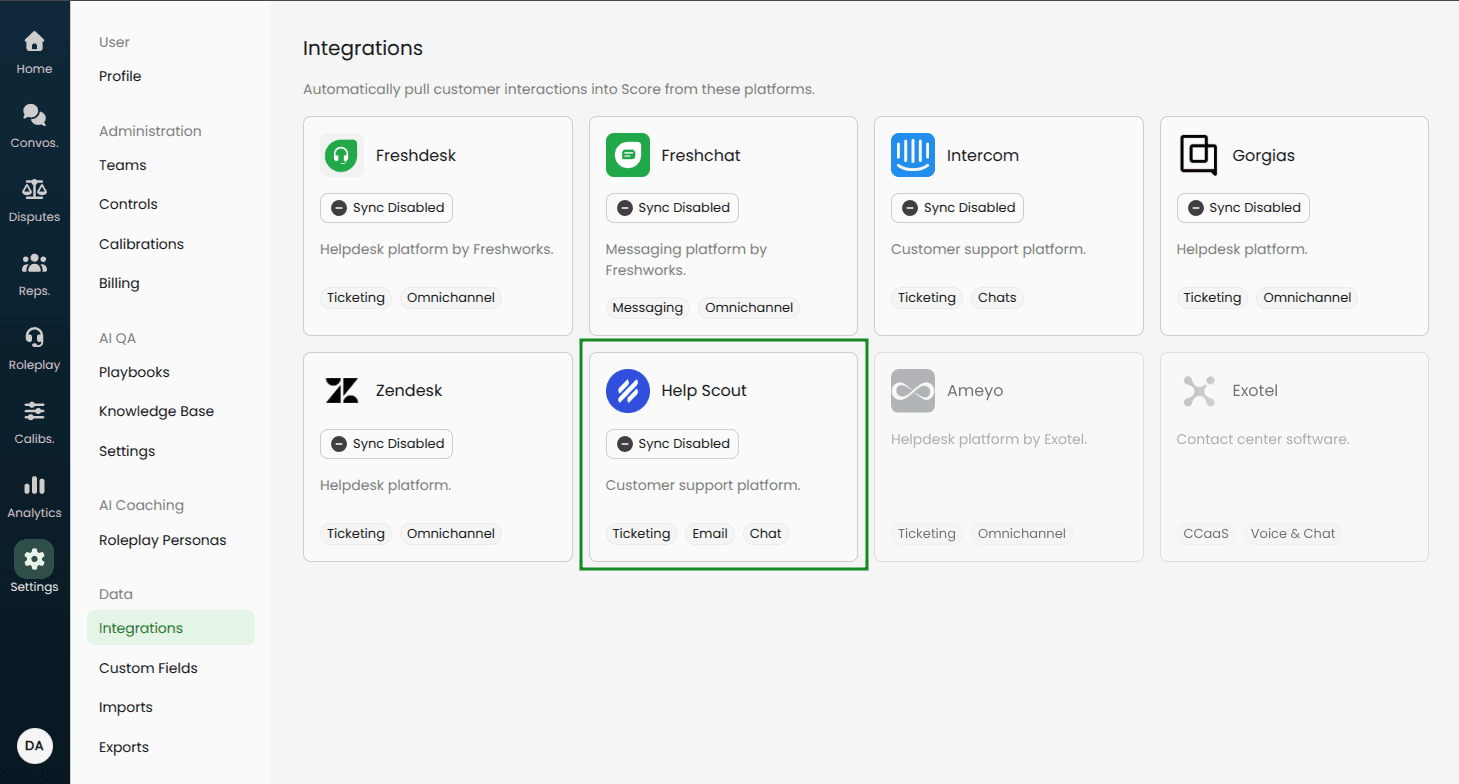
In Score, go to Settings → Data → Integrations.
Select Help Scout (it should show as enabled with an “Inactive” label).
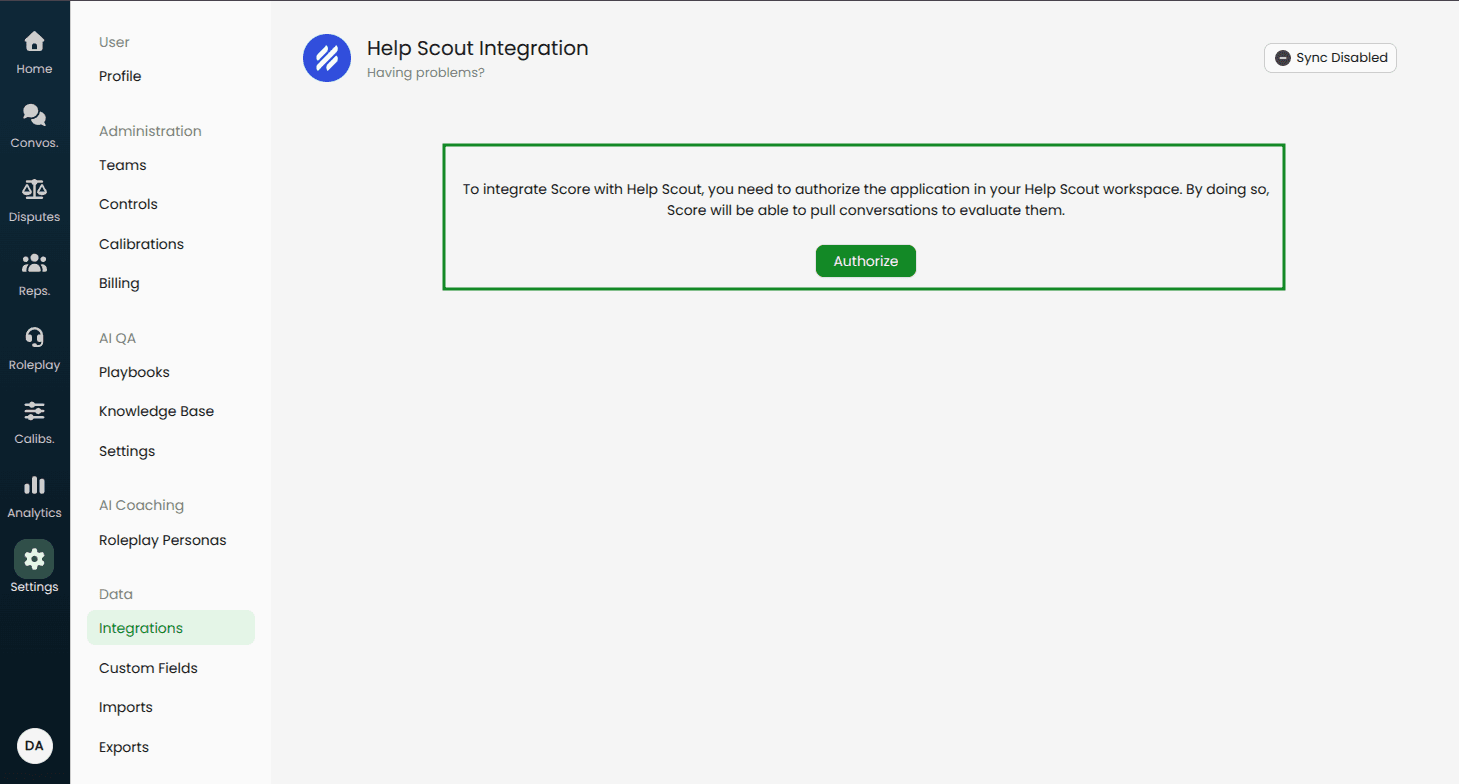
Click Authorize to connect your Help Scout account.
After authorization, you’ll return to the Help Scout settings page in Score.
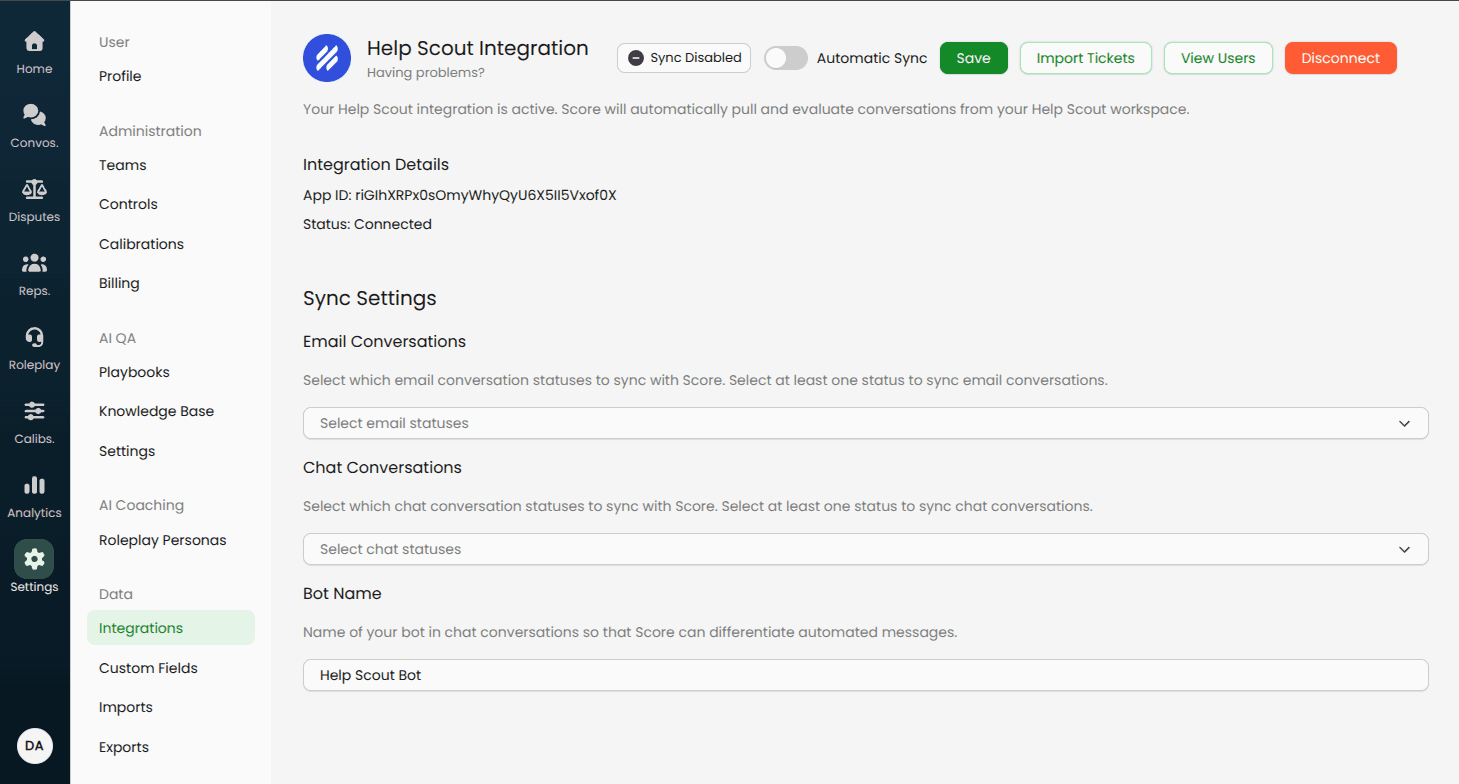
Available settings for sync
Email/Chat conversation statuses: Choose which statuses should be pulled into Score.
Bot name: Identify your automation/bot name so those messages are excluded from rep evaluations.
Automatic sync toggle: When enabled, Score pulls new conversations automatically.
If you need a setting that isn’t listed here, contact your Score point-of-contact or email help@usescore.ai.
Next steps after installation
For user mapping, custom field mappings, and automatic sync details, see: Post-installation Setup Guide