

Roleplays for Representatives
How to get started with roleplays for representatives in Score AI
What are Roleplays?
Roleplays let you practice customer conversations before they happen for real. You have a live exchange with an AI-powered customer — either a voice call or a text chat — and receive an automatic score when the session ends.
Your manager sets up the scenario (the customer's situation) and chooses a persona (the AI's personality and communication style). Your job is to handle the conversation as you would with a real customer.
Why it helps:
You practice on the specific situations your team finds hardest, not just whatever lands in the queue
Mistakes in a roleplay have no consequences — it is a safe space to try different approaches
You get objective, immediate feedback scored against the same standards used in real QA reviews
You can replay your conversation and listen back (for voice roleplays) to hear exactly how you came across
Finding Your Assigned Roleplays
Navigate to Roleplay in the main menu. You will see a table listing all roleplays assigned to you.
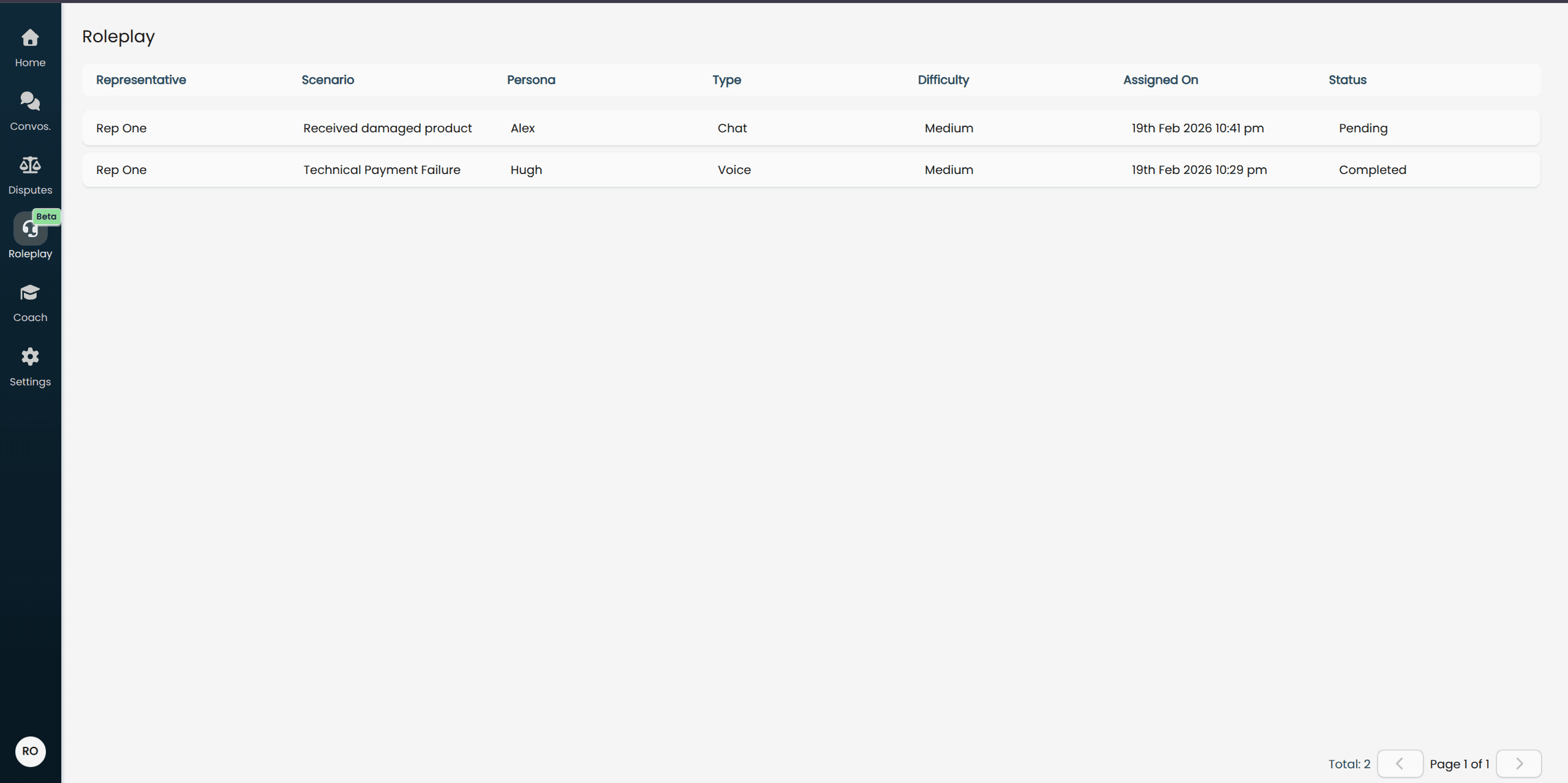
Each row shows:
Scenario: The training situation you will be practicing
Persona: The AI customer character you will interact with
Type: Whether this is a Voice or Chat roleplay
Difficulty: Easy, Medium, or Hard — set by your manager
Status: Pending (not started), In Progress (started but not finished), or Completed
Click any Pending or In Progress row to open the roleplay and begin or continue.
Conducting a Roleplay
Voice Roleplay
A voice roleplay is a live spoken conversation. The AI persona will speak to you and you respond out loud through your microphone, just like a real phone call.
Before you start:
Use a quiet environment where you can speak freely
Make sure your microphone and speakers (or headset) are working
Allow microphone access in your browser if prompted
Starting the conversation:
Click your assigned roleplay from the list to open it, then click Start to begin. The AI persona will greet you and start the conversation.
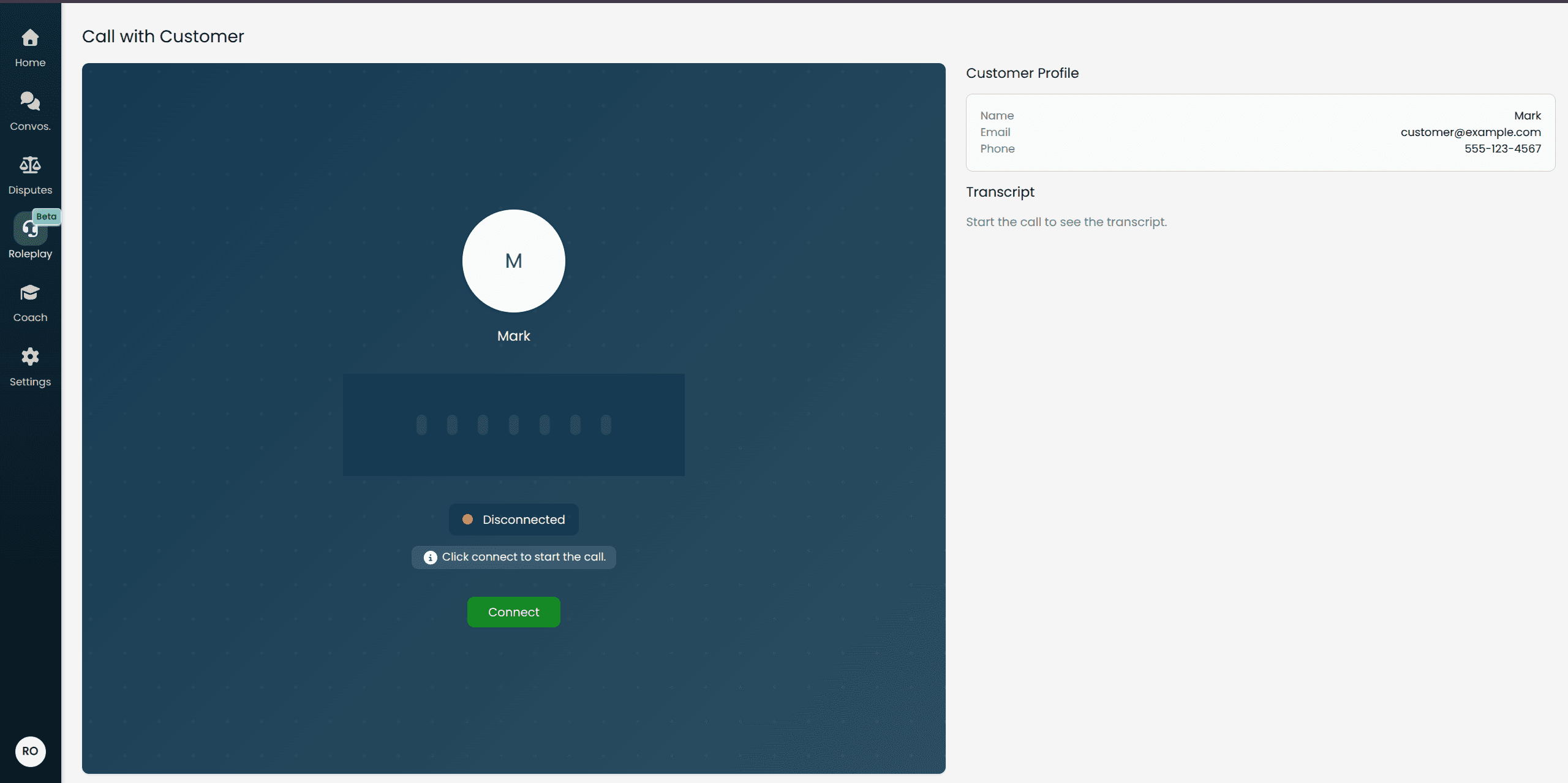
During the conversation:
The AI customer will respond to everything you say in real time. Treat it like a real support call — listen carefully, ask clarifying questions, and work towards resolving the customer's issue.
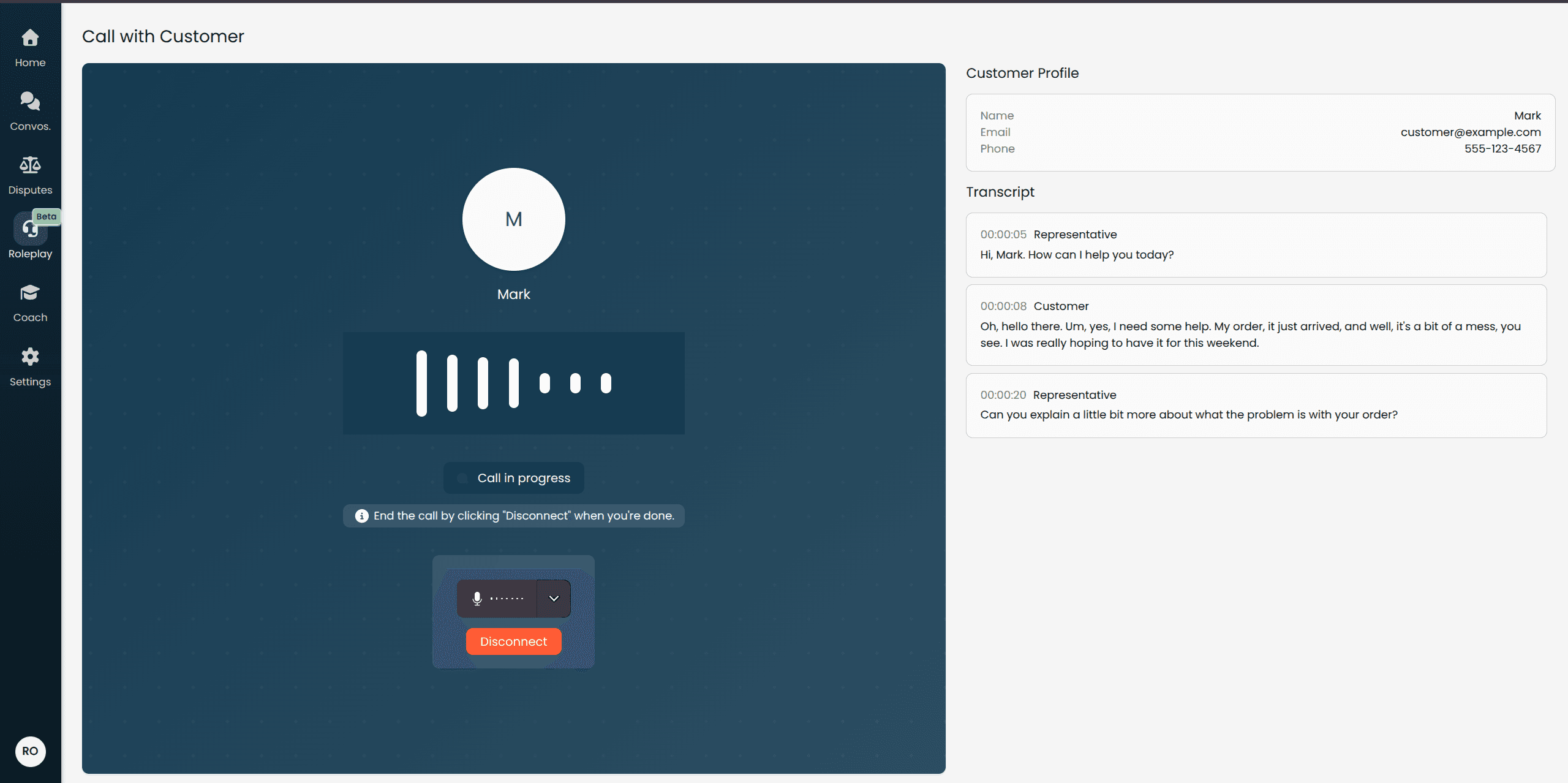
The AI will stay in character throughout. It may raise objections, ask follow-up questions, or express frustration — this is intentional and is part of the training.
Ending the conversation:
When the issue is resolved (or you have completed the conversation), click End Call. The session will close and your results will begin processing.
Chat Roleplay
A chat roleplay is a text-based conversation. You type your messages to the AI persona and it replies in text, just like a live chat or messaging interaction.
Starting the conversation:
Click your assigned roleplay from the list to open it. The chat interface loads immediately with the AI persona ready to begin.
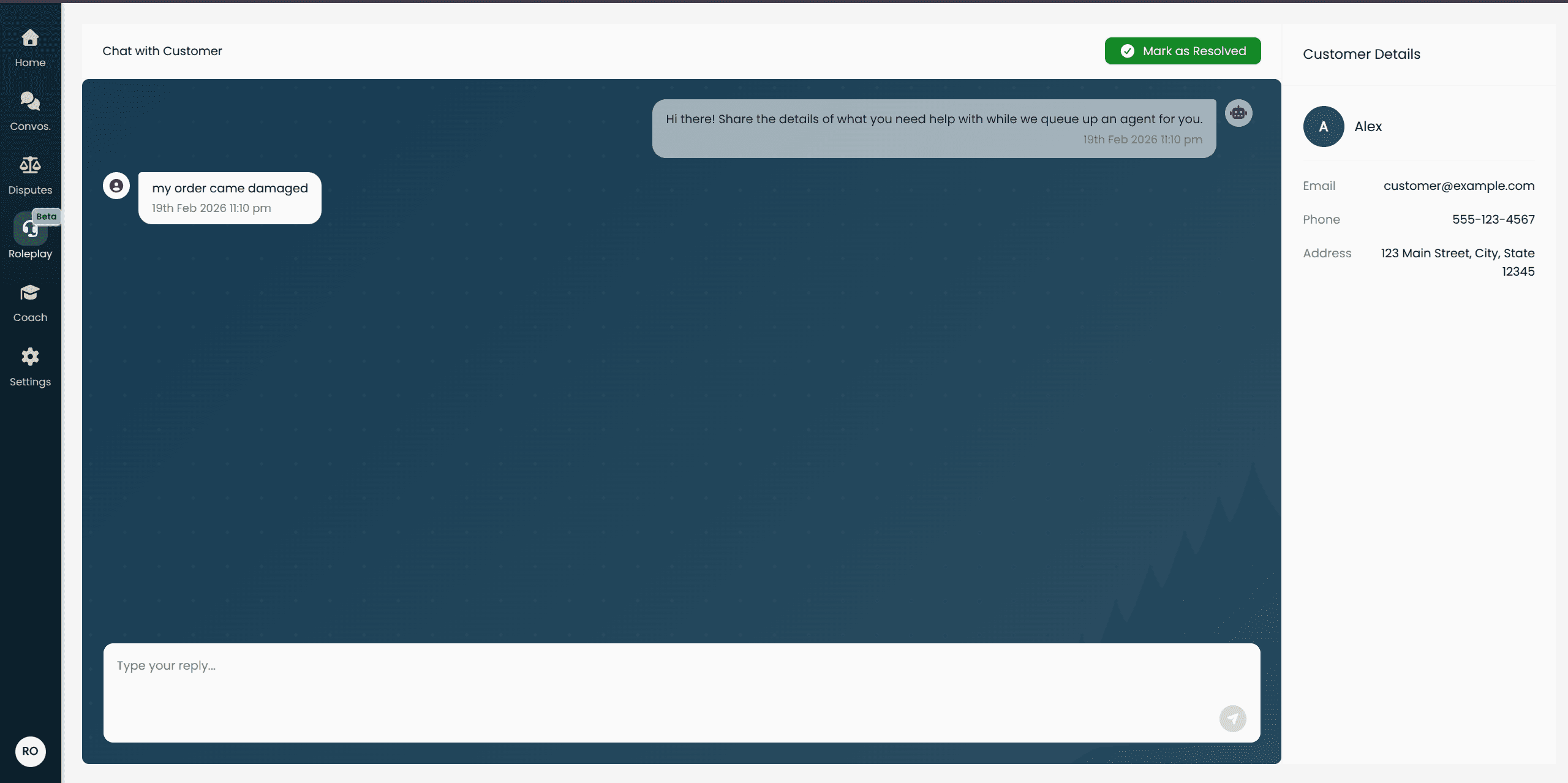
During the conversation:
Type your responses in the message input at the bottom and press Send (or Enter). The AI persona will reply and continue the conversation.
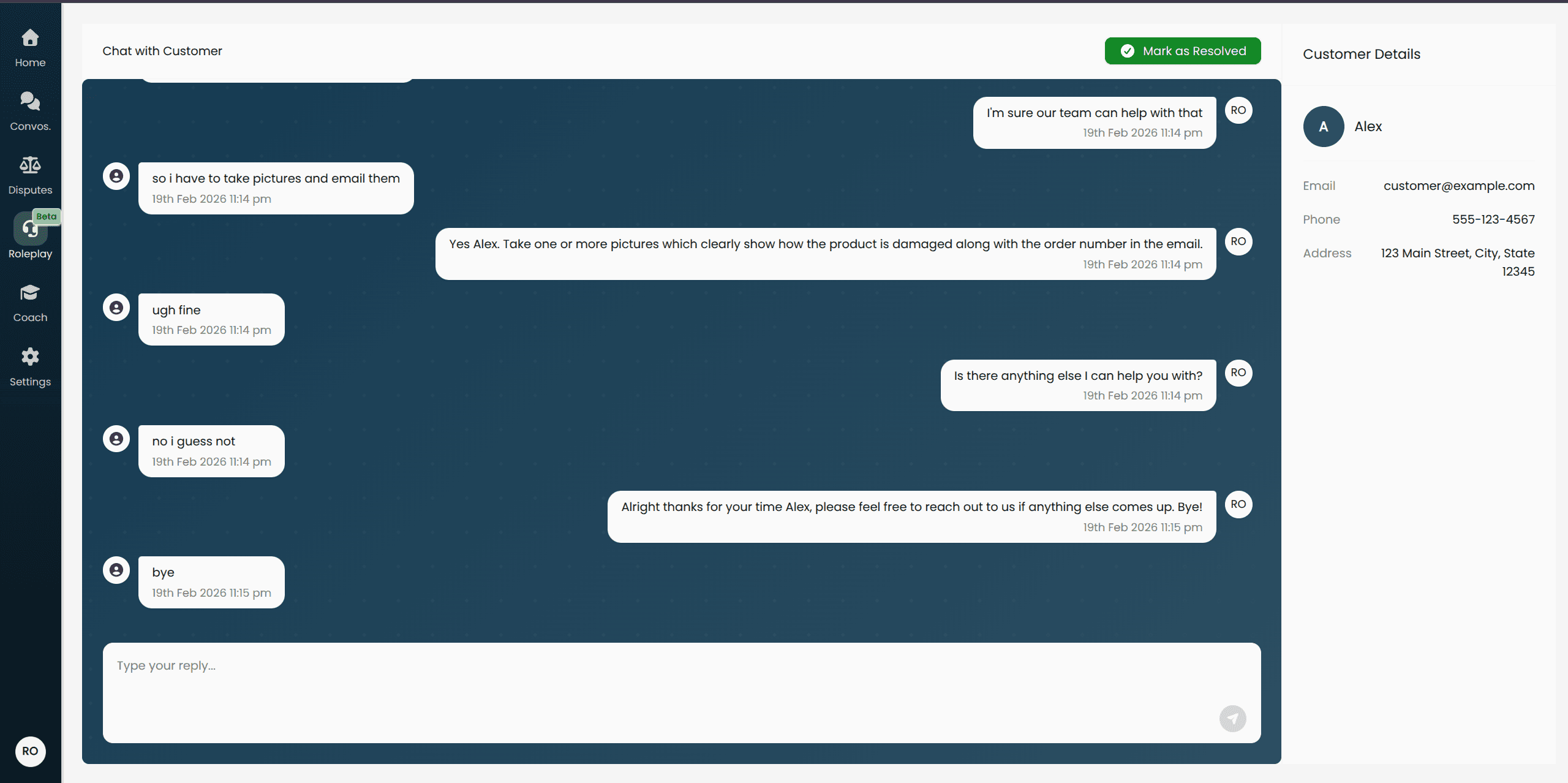
Take the conversation at whatever pace you need. Unlike voice, there is no time pressure between messages.
Ending the conversation:
When you have finished the interaction, click End Chat. The session closes and your results begin processing.
Understanding Your Results
After you end a roleplay, Score automatically evaluates your conversation against the Playbooks your manager selected. This takes a short time to process — the results page will indicate if scores are still being calculated.
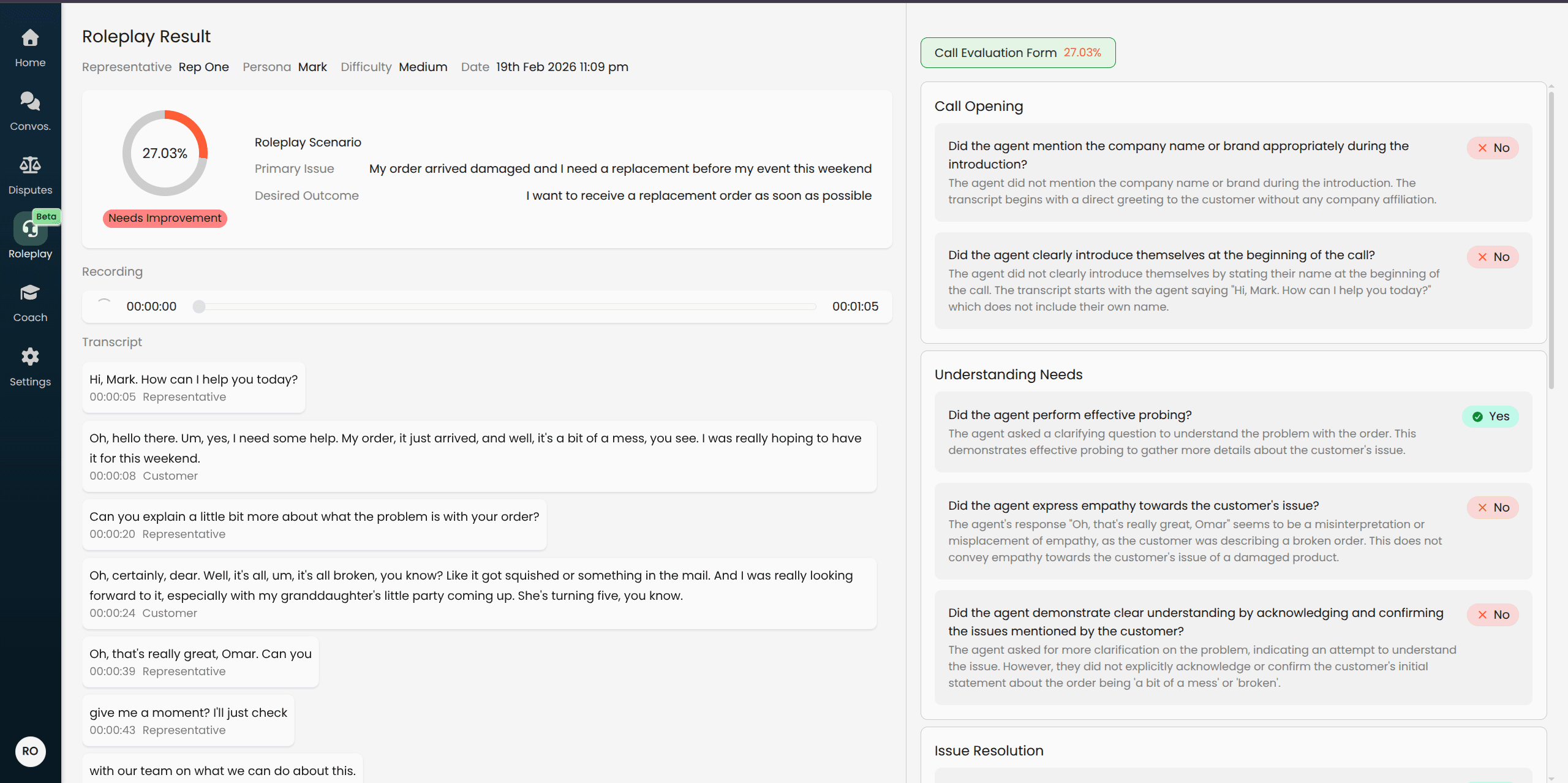
Playbook Scores
Your performance is scored against each Playbook criterion. You will see:
An overall score for each Playbook
A breakdown by individual criteria showing whether you met each standard, along with any remarks from the AI evaluation
Conversation Transcript
The full transcript of your conversation is available on the results page. Each message is shown with a timestamp so you can review the flow of the interaction and see exactly what was said and when.
Audio Recording (Voice Roleplays only)
For voice roleplays, a recording of the conversation is available to play back. Use the audio player on the results page to listen to the full call.
Pending Results
If you see scores still loading after ending a roleplay, this is normal. Evaluation runs automatically in the background and typically completes within a minute. Refresh the page to check for updated results.