
Insights
December 9, 2025
Speech Analytics for Customer Support: Proven Strategies to Improve Efficiency & Satisfaction

Varun Arora
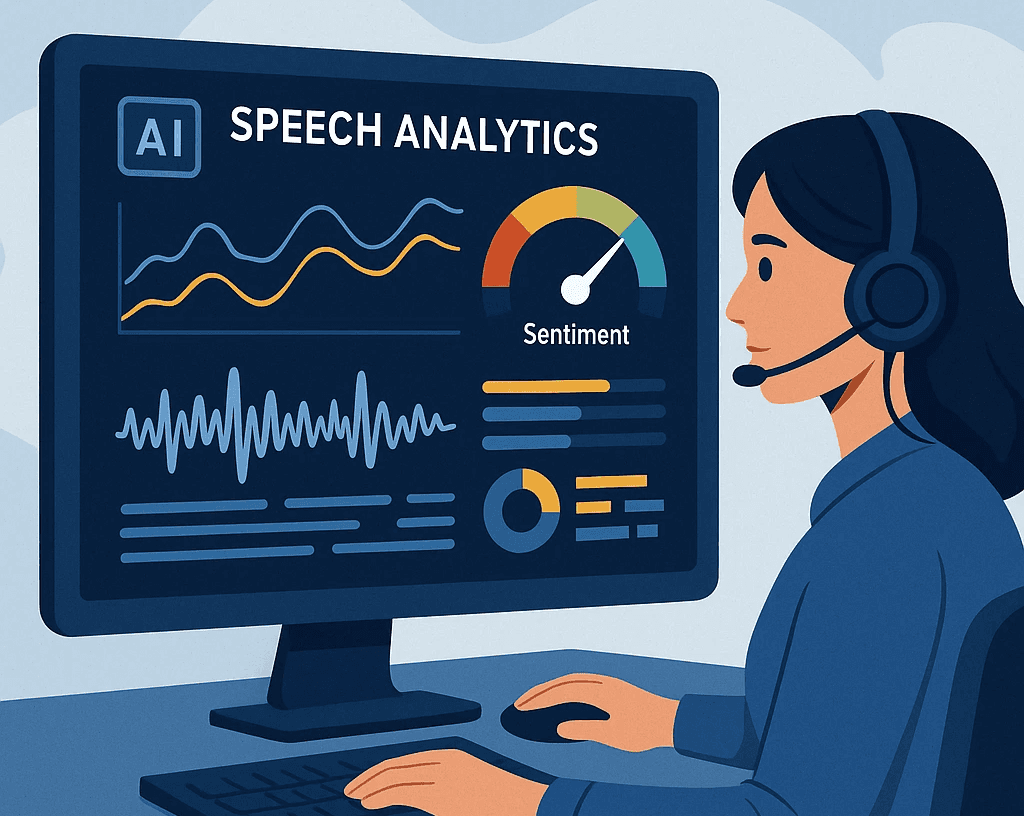
Speech analytics is a powerful tool that helps you understand customer conversations by turning spoken words into clear insights. It uses AI to analyze tone, keywords, and emotions during calls so you can improve service quality and make smarter decisions quickly. This technology goes beyond simple call recording by showing you what customers really feel and what drives their behavior.
With speech analytics, you can boost your customer support by identifying trends and issues as they happen, helping agents perform better and making your entire operation more efficient. It gives you real-time or post-call data that helps solve problems faster and create a better experience for your customers.
Using speech analytics in your support team means you can move from guessing what went wrong to knowing exactly where to improve. This can save time, reduce errors, and increase customer satisfaction by giving you actionable insights from every conversation.
Key Takeaways
You can gain deep insights from customer calls using AI-driven analysis.
Real-time data helps improve agent performance and customer experience.
Speech analytics lets you quickly identify issues and act on them.
What Is Speech Analytics for Customer Support?
Speech analytics uses technology to listen, understand, and analyze customer conversations. It goes beyond just words, capturing tone, pauses, and emotion to give you deeper insights into customer needs and agent performance.
Definition and Core Concepts
Speech analytics is a tool that processes spoken interactions between customers and support agents. It uses artificial intelligence to convert these conversations into data you can analyze. This means it looks at what customers say, how they say it, and the emotions behind their words.
Unlike simply recording calls, speech analytics interprets tone, silence, and speed. These factors help you understand customer feelings and response quality. This insight allows you to spot problems, improve service, and personalize customer care more effectively.
How Speech Analytics Works
The system records calls and uses AI to transcribe speech into text in real time or after the call ends. Then, it scans the text for keywords, phrases, customer sentiment, and voice patterns. This creates reports and dashboards that show trends, issues, and opportunities.
You can track how often certain topics come up, detect rising frustration in voices, or follow agent adherence to scripts. The tool breaks down each call to reveal key moments. This lets you act quickly on problems and coach your team with real, data-driven feedback.
Types of Speech Analytics Solutions
There are several types of speech analytics tools to fit your needs:
Real-time analytics: These provide instant feedback during calls. They alert agents or supervisors to issues as they happen, allowing immediate correction.
Post-call analytics: These analyze conversations after the call ends, offering detailed insights and trend tracking over time.
Keyword spotting: Focuses on identifying specific terms or phrases linked to common issues or product names.
Sentiment analysis: Detects the emotion behind words to measure customer satisfaction or frustration.
Full conversation analytics: Examines the entire dialogue for a complete view of interactions and behaviors.
Choosing the right solution depends on your goals, call volume, and how much automation you prefer in your customer support process.
Key Benefits of Speech Analytics in Customer Support
Speech analytics helps you improve how your team interacts with customers, manage resources better, and make smarter choices based on real data. It turns everyday calls into clear insights you can use immediately to boost performance and customer experience.
Enhanced Customer Satisfaction
When you use speech analytics, you can quickly spot what customers really want and how they feel. The system listens to calls and identifies emotions, keywords, and common complaints. This lets you fix issues faster and tailor responses to each customer’s needs.
You can also personalize conversations more easily. Agents get real-time tips, helping them respond with the right tone and information. This leads to shorter calls and happier customers. In addition, you can spot trends or recurring problems, allowing your team to solve them before they affect more customers.
Better customer satisfaction often results in higher loyalty and fewer repeat calls, saving you time and money while improving your brand’s reputation.
Operational Efficiency Gains
Speech analytics makes your call center run smoother. It automates the process of analyzing thousands of calls, so you don’t have to review them one by one. This saves time and frees your team to focus on improving service.
You can use speech analytics to monitor agent performance automatically. The system highlights when agents follow scripts or miss key points, helping you identify coaching needs quickly. This helps maintain consistent service quality and compliance with rules.
By tracking call patterns and common issues, you can plan staffing better and reduce call wait times. Faster problem resolution and clearer feedback loops boost your team’s productivity and reduce operational costs.
Data-Driven Decision Making
With speech analytics, you gain access to data that shows what’s really happening during customer calls. You get detailed reports on call topics, customer mood, and agent success rates. This data helps you make decisions based on facts, not guesswork.
For example, you can spot which products or services cause the most problems. This insight supports teams beyond customer service, like product development or marketing. You also get early warnings of compliance risks or service gaps, so you can address them before they become big issues.
Using clear, measurable data, you can track improvements over time and adjust your strategies accordingly. This leads to smarter planning and more effective customer support operations.
Core Features of Speech Analytics Platforms
Speech analytics platforms offer tools that help you understand the details of customer conversations. These tools focus on how people speak, what they say, and the feelings behind their words. Key areas include tracking speech patterns, turning speech into text, measuring emotions, and spotting important keywords.
Tracking Pace, Fillers, and Dead-Air
This feature lets you measure how fast or slow someone talks during a call. It also tracks fillers like "um," "uh," or "you know," which may show hesitation or uncertainty. Dead air is another focus, meaning silent gaps in the conversation that could signal confusion or technical issues.
By identifying these aspects, you can find moments where communication breaks down. This insight helps you train your team to speak more clearly or manage pauses better. For example:
Slow pace might indicate frustration or careful thinking.
Frequent fillers might suggest nervousness or lack of confidence.
Dead-air can point to dropped calls or customer disengagement.
Real-Time Transcription
Real-time transcription converts spoken words into text immediately as the call happens. This lets you monitor conversations live, making it easier to spot issues or opportunities as they occur.
With real-time transcripts, you can search conversations quickly, review them for quality checks, or provide instant support to agents. This helps resolve problems faster and improves customer satisfaction. Key benefits are:
Immediate access to call content.
Faster analysis of customer concerns.
Ability to intervene or coach during calls.
Sentiment Analysis
Sentiment analysis reads the emotions behind what people say in a call. It checks whether a speaker sounds happy, angry, confused, or neutral. This is important because it shows you the customers’ feelings without needing to wait for surveys.
This feature uses tone, volume, and word choice to assess mood. You can spot unhappy customers early and take action before issues worsen. It also helps track agent performance by showing how well they handle emotions.
Keyword and Phrase Detection
This tool finds specific words or phrases used in calls. You decide which keywords matter, such as product names, complaint terms, or upsell phrases.
Keyword detection helps you measure how often certain topics come up. It highlights trends and areas needing attention. For example, frequent mentions of "refund" might show a problem with returns.
You can use phrase detection to track complex ideas, like "cancel my service," which signals customers wanting to leave. This helps improve your response and identify training needs.
Implementing Speech Analytics in Call Centers
To get the most from speech analytics, you need a clear approach to fit it seamlessly into your call center. This includes linking the technology with your current tools, helping your agents use it effectively, and setting up automated workflows to save time and boost accuracy.
Integration with Existing Systems
You want speech analytics to work smoothly with your call center software and tools. This means connecting it to your phone system, CRM, and ticketing platforms so data flows easily between them. Integration allows you to see call insights alongside customer data, helping you respond faster and smarter.
Make sure your speech analytics platform supports APIs or built-in connectors to your key systems. This reduces manual work and errors. Also, check that data syncing happens quickly, preferably in real time, so your team always has fresh information.
Agent Training and Adoption
Your agents need clear training to understand how speech analytics affects their work. Teach them how the system tracks calls and highlights key moments like customer frustration or compliance risks. This helps agents stay aware of performance goals without feeling watched.
Encourage agents to use insights from speech analytics for self-improvement. For example, they can review flagged calls to find where they can communicate more clearly or resolve issues faster. Strong adoption boosts morale and drives better customer outcomes.
Workflow Automation
Speech analytics can automate many routine tasks, freeing your team to focus on complex issues. You can set it up to flag calls needing follow-up, automatically categorize customer issues, or trigger alerts when compliance rules are broken.
Automated workflows reduce delays and human error. For example, when a call reveals a dissatisfied customer, your system can instantly send that case to a senior agent or create a support ticket. This streamlines your operations and improves service quality.
Use Cases for Speech Analytics in Customer Support
Speech analytics helps you improve how your support team works and how customers feel. It focuses on checking call quality, following rules, and understanding the customer’s path through your service. Each use case brings clear benefits to your operations and customer experience.
Quality Assurance
With speech analytics, you can review many calls quickly to spot problems without listening to every single one. The software tags calls based on customer tone, key topics, and agent responses. This lets you find patterns where your agents may miss important details or not follow best practices.
You can use this insight to coach your team better. For example, if agents often miss greeting customers properly, you can address that with specific training. You also get data to track improvements over time. This makes your quality checks more consistent, fast, and unbiased.
Compliance Monitoring
You must ensure your team follows legal and company rules during calls. Speech analytics helps by automatically flagging calls where certain phrases or topics occur. You set the requirements, and the system alerts you if agents forget to get consent or use banned language.
This reduces the risk of fines or customer complaints. It also saves you from manual reviews that take too long. By catching compliance issues early, you protect your company’s reputation and maintain customer trust. The tool can even generate reports for auditors or supervisors on demand.
Customer Journey Mapping
Understanding the full customer journey helps you fix pain points and improve satisfaction. Speech analytics tracks conversation topics and sentiment across multiple contacts with your company. You get a timeline of what customers say and feel at each step.
This data shows where customers get frustrated or drop off. You can identify which issues happen most often or which agents handle problems well. Using this information, you can redesign processes or train staff to provide smoother support. Mapping the journey also helps you spot trends and prepare for future customer needs.
Challenges and Limitations
When using speech analytics for customer support, you will face specific challenges that can affect how well the system works. These include issues around protecting customer data and dealing with different languages and accents. Understanding these will help you plan better and avoid common pitfalls.
Privacy and Security Concerns
You need to handle sensitive information carefully when using speech analytics. Customer calls may include personal details, payment info, or health data. If this information is not protected, it can lead to data breaches and legal problems.
To keep data safe, make sure your system uses strong encryption both during calls and when storing voice data. Also, check that your provider complies with laws like GDPR or CCPA. Your customers must trust you with their data, or they might stop using your service.
Regular audits and strict access controls are important. Only authorized staff should be able to listen to or analyze call recordings. If you ignore privacy, you risk fines and damage to your company’s reputation.
Language and Accent Barriers
Speech analytics systems can struggle with varied languages, regional accents, and dialects. If your customers speak multiple languages or have strong accents, the software might not correctly transcribe or interpret their words.
This can cause misunderstandings or poor analysis results. Misheard words may lead to wrong conclusions about customer needs or emotions. You should test the system on your typical customer base before full deployment.
Look for solutions that offer multilingual support and can learn from your specific accent patterns. Some advanced tools adapt over time through machine learning. Still, you may need to provide extra training data or customize software to get reliable results in your environment.
Best Practices for Maximizing ROI
To get the most value from speech analytics, you must focus on clear goals and regular performance tracking. These steps help ensure the technology improves your call center’s efficiency and customer experience.
Defining Clear Objectives
Start by setting specific goals for what you want speech analytics to achieve. This could include reducing call handling time, identifying upselling chances, or tracking customer sentiment trends. Clear objectives allow you to focus your efforts and measure success.
List your priorities and align them with business needs. For example:
Cut average call length by 20%
Increase first-call resolution rates
Detect common complaints to improve products or services
Having well-defined goals helps you select the right tools and guides your team on what to track and improve. Without clear objectives, your investment risks being unfocused and less effective.
Continuous Performance Measurement
Monitoring results regularly is crucial to make the most of speech analytics. Use key performance indicators (KPIs) that match your goals, such as call volume, customer satisfaction scores, or sales conversion rates.
Set up dashboards to visualize trends and spot problem areas quickly. Schedule reviews weekly or monthly to assess progress and adjust your strategy as needed.
Use these tips:
Track multiple KPIs to get a full picture
Compare data over time to spot improvements or declines
Share insights with agents to drive better performance
Regular measurement ensures you can prove ROI and make informed decisions about where to invest next.
FAQs
1. What is speech analytics in customer support?
Speech analytics is a technology that uses AI to analyze customer conversations, uncover insights, detect emotions, and identify trends. It helps support teams understand customer needs, improve service quality, and streamline operations.
2. How does speech analytics improve customer satisfaction?
By identifying emotional cues, recurring issues, and customer expectations, speech analytics helps agents respond more effectively. Real-time alerts also guide agents during calls, leading to faster resolutions and better overall experiences.
3. What types of speech analytics tools do call centers use?
Common tools include real-time analytics, post-call analytics, keyword spotting, sentiment analysis, and full conversation analytics. Each supports different operational goals and levels of automation.
4. Can speech analytics help with agent training?
Yes. It highlights key call moments, such as customer frustration or missed script points, supporting targeted coaching. Agents can also review their flagged calls to improve communication skills.
5. Does speech analytics support multiple languages and accents?
Advanced solutions offer multilingual and accent-adaptive features, though accuracy may vary by system. Testing with your typical customer base ensures reliable performance.
6. Is speech analytics safe for handling sensitive customer information?
Most platforms use encryption, access controls, and compliance frameworks such as GDPR and CCPA to protect data. Companies must follow strict privacy policies to maintain customer trust.
7. What challenges come with implementing speech analytics?
Challenges include ensuring data privacy, handling diverse accents, integrating with existing systems, and training agents. With proper planning, these issues can be minimized.
8. How does speech analytics increase operational efficiency?
It automates call review, identifies staffing needs, monitors compliance, and improves quality-check accuracy—reducing manual work and lowering operational costs.